
By Ryan Kearney, Founder, Outwork'em Digital
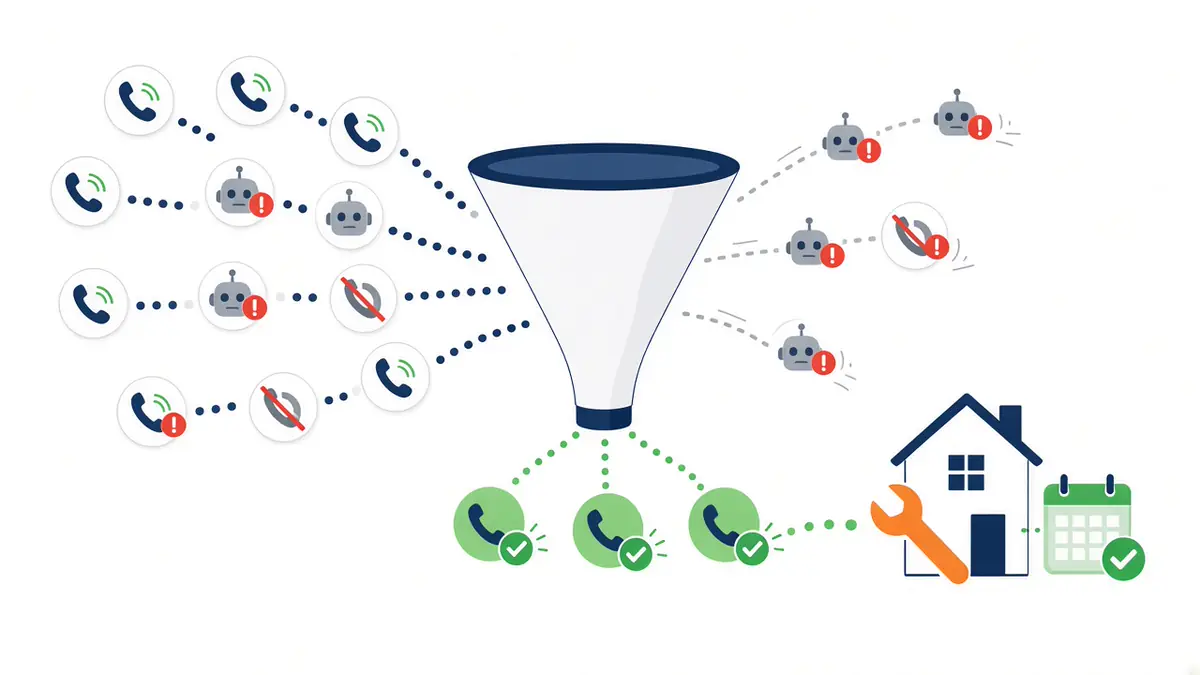
AI-qualified call leads are Google Ads' new way of counting phone calls as conversions. Instead of counting any call that lasts past a set number of seconds, Google AI reviews the call recording and only counts calls that show real intent, like asking about a service or booking an appointment. Robocalls, spam, and misdials get filtered out.
If your HVAC, plumbing, pool, pest, or roofing company lives on the phone, this matters. The calls Google counts as conversions are the calls Smart Bidding learns from. Better call data means your budget gets pushed toward people who actually want to book a job, not toward wrong numbers that happened to stay on the line.
Here is what changed, how it works, and what to check in your Google Ads account this week.
What Are AI-Qualified Call Leads in Google Ads?
In April 2026, Google published a help article called About AI-qualified call leads. It explains that Google Ads is "moving beyond simple metrics like call duration" and now uses AI to evaluate call recordings to judge the actual quality of the conversation. Industry outlets like Search Engine Land and Search Engine Journal covered the rollout on April 21, 2026.
According to Google, the AI looks for signals of intent such as:
- A customer asking about specific services
- A customer scheduling a consultation
- A customer showing readiness to buy
For a home service business, that maps cleanly to real-world calls: "Can you come look at my AC today?", "How much is a drain cleaning?", or "Can I book a pool opening for next week?"
Why Call Duration Alone Was Never a Good Lead Signal
For years, Google Ads counted a call as a conversion mainly based on how long it lasted. You picked a minimum length in seconds, and any call past that line counted. Google's own help article admits the flaw: a long call could still be a wrong number or a robocall.
The duration problem for contractors
Think about what actually hits your office line. Spam calls offering business loans. Robocalls. Someone who meant to call a different company and stayed on long enough to explain their problem. Under a duration-only setup, many of those could count as "leads" in your reports, and your cost per lead looked better than it really was.
What bad call data does to Smart Bidding
Smart Bidding strategies like Maximize conversions and Target CPA use Google AI to set bids in every auction based on your conversion data. If junk calls are counted as conversions, the system learns to find more people like them. Google says AI-qualified call leads feed "higher-quality conversion data into Smart Bidding" so it can find more customers who are likely to convert. In plain terms: cleaner inputs, smarter spending.
If you want a refresher on how bidding and campaign structure fit together, our guide to HVAC PPC campaign strategies walks through it.
How Google Decides Which Calls Count
Google describes a tiered system so you do not lose conversion signals when a call cannot be reviewed.
Tier 1: Call recording and AI review
If call recording is on, all eligible calls are recorded and evaluated by AI. Only qualified calls count as conversions.
Tier 2: Call duration fallback
If a call cannot be recorded, it counts as a conversion if it lasts longer than your call duration threshold. This is why your threshold setting still matters.
Tier 3: Ad interaction data
In the rare case a Google forwarding number is not available, conversions are classified using ad interaction data.
What You Will See in Your Call Details Report
This update also makes your call reports more useful. Per Google, the Call Details report now includes:
- Call recording playback, so you can hear exactly how a call went
- An AI-generated summary of each call
- Hashtags that describe the call, such as #HighIntent and #ConsultationScheduled
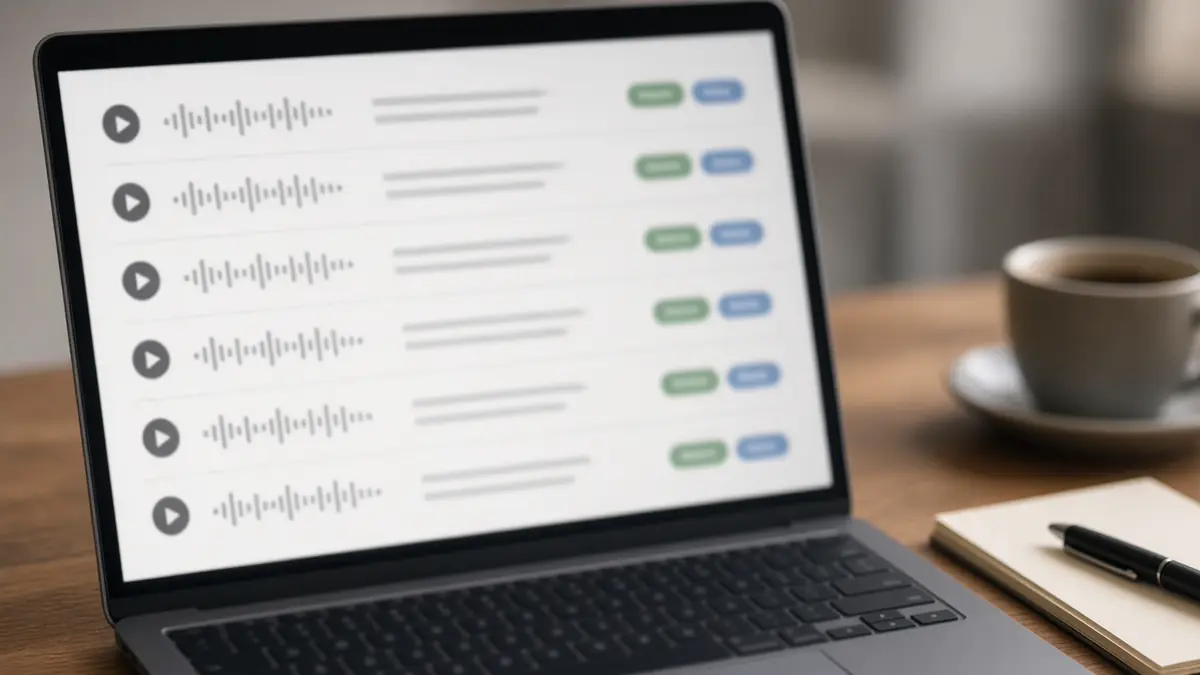
For owners, this is a quick way to spot problems that have nothing to do with ads. If high-intent callers are not getting booked, the issue may be how calls are answered, not how ads are run. Our 5-step speed-to-lead system covers how to fix that side of the funnel.
Call Recording Is On by Default: What That Means for You
Google's call recording settings page says call recording is now turned on by default so AI can qualify leads. A few details are worth knowing.
Who is included and who is not
- US and Canada only. Both the caller's number and your receiving number must be in the United States or Canada.
- Google forwarding numbers are required. Calls must route through a Google forwarding number, which means call reporting must be on in your account settings.
- Eligible call sources. Calls from call ads, call assets, and calls from website visits are eligible. Calls from location assets are not supported for recording at this time.
- Exceptions. Recording stays off if you turned it off before, or if Google identified your business as healthcare or financial services. Those advertisers can turn it on manually.
Your callers will hear a recording notice
Google says callers hear a short automated message at the start of the call letting them know the conversation will be recorded for quality purposes. By using the feature, you agree to the Call Ads Supplemental Terms and confirm you have notified your employees and anyone else who takes part in those calls. Let your CSRs and dispatchers know recordings are happening, and if you have questions about call recording rules in your state, check with your attorney.
What to Check in Your Google Ads Account This Week

Here is a practical checklist for home service owners and office managers:
- Confirm call reporting is on. No Google forwarding number means no recording and no AI qualification.
- Check your call recording setting. Go to Admin, then Account settings, then open "Call ads" and look under "Call recording." If you turned it off in the past, it is still off.
- Review your call duration threshold. Go to Goals, then Summary, open "Phone call leads," find "AI-qualified call leads," select Edit, and open "Lead qualification." This number still decides which unrecorded calls count.
- Listen to a handful of recorded calls. Compare the AI summary and hashtags to what really happened. Did a #HighIntent caller get booked?
- Expect your conversion count to change. If spam and misdials were counting before, fewer calls may count now. That is cleaner data, not necessarily fewer customers. Compare reported conversions to booked jobs in your CRM before you change budgets or bid targets.
- Track website calls too. Calls from website visits are eligible, so make sure your landing pages are built to drive calls. Our breakdown of the Google landing page quality update covers what to fix.
- Brief your team. Tell anyone who answers the phone that calls may be recorded and reviewed.
If you also run Local Services Ads, keep in mind this update is about call ads and call assets in Google Ads campaigns. Look at both channels side by side when you judge lead quality.
What This Means for Your Cost Per Lead
You may see your reported cost per conversion go up after this change. That does not automatically mean your ads got worse. It may mean you are finally seeing the true cost of a real lead, without junk calls padding the numbers. That is the number you want to make budget decisions on.
The bigger win comes over time. When Smart Bidding learns from qualified calls instead of any call that ran long, it has a better target to aim at. Google's Measure calls from ads help page puts the goal simply: filter out calls that probably do not include sales or other valuable actions for your business.
Frequently Asked Questions
What are AI-qualified call leads in Google Ads?
AI-qualified call leads are phone call conversions that Google AI has reviewed and judged to be real leads. With call recording on, Google evaluates each eligible call for intent signals, such as asking about services or scheduling, and only counts qualified calls as conversions.
Is Google Ads call recording on by default?
Yes, for eligible accounts. Google turned call recording on by default for AI-qualified call leads. It stays off if you previously turned it off or if your business was identified as healthcare or financial services.
How do I turn off call recording in Google Ads?
Go to Admin, then Account settings, open "Call ads," and set "Call recording" to Off, then save. If you turn it off, Google falls back to your call duration threshold to decide which calls count as conversions.
Does this work outside the US and Canada?
Not right now. Call recording and AI-qualified conversions only work when both the calling and receiving phone numbers are in the United States or Canada.
Will my number of call conversions drop?
It might. Google now filters out robocalls, spam, and misdials that used to meet the duration threshold. Fewer reported conversions can simply mean cleaner data. Check reported conversions against booked jobs before changing budgets.
Do callers know they are being recorded?
Yes. Google says callers hear a short automated message at the start of the call saying the conversation will be recorded for quality purposes.
Want a Second Set of Eyes on Your Call Tracking?
Most home service companies we talk to have never listened to the calls their ads produce. This update makes that easy, and it rewards businesses that answer fast and book well.
If you would like help checking your call settings, conversion goals, and bidding after this change, our PPC team for home service contractors can take a look. You can also see how we have helped other contractors in our case studies. When you are ready, book a discovery call and we will walk through your account together.
Source: About AI-qualified call leads, Google Ads Help.