
By Ryan Kearney, Founder, Outwork'em Digital
HVAC retargeting ads show your company to people who already visited your website but did not call or book. They see your ad on other sites, apps, YouTube, or in later Google searches. It is one of the few ways to get a second chance at a visitor you already paid to attract.
Most HVAC websites lose far more visitors than they keep. A homeowner with a dead AC checks three companies, calls one, and forgets the rest. Retargeting keeps your name in front of the ones who left, so you are still on their mind when they are ready to decide.
This guide covers who to target, who to leave out, what to say, how to set it up, and how to track whether it books jobs.
Why Most HVAC Website Visitors Leave Without Calling
People rarely buy a big home service on the first visit. A repair can be fast. A system replacement is a bigger choice, and the homeowner wants to compare options, ask a spouse, and check reviews.
Common reasons a visitor leaves:
- They are comparing two or three companies at once.
- They want a price before they talk to anyone.
- They got interrupted and never came back.
- The page was slow, hard to read on a phone, or did not make the next step obvious.
Retargeting does not fix a weak page. If your landing page is the problem, fix that first. Our breakdown of the Google landing page quality update shows what Google checks, and our guide to website design for home service companies covers the build side. Retargeting works best when the site already makes calling easy.
What Retargeting Is and How It Works
Retargeting, also called remarketing, adds visitors to a list and then shows ads to that list. Google has changed its wording. In Google Ads, remarketing is now called "your data," and a list is a "your data segment." Google's help page on your data segments explains it as a way to re-engage people who have previously interacted with your brand or services.
Here is the basic flow:
- A tag on your website notes who visited which pages.
- Google Ads builds lists from those visits, such as all visitors or people who viewed a service page.
- Your ads are shown to people on those lists as they browse Google, YouTube, and partner sites and apps.
- You can also show ads to past visitors when they search again on Google.
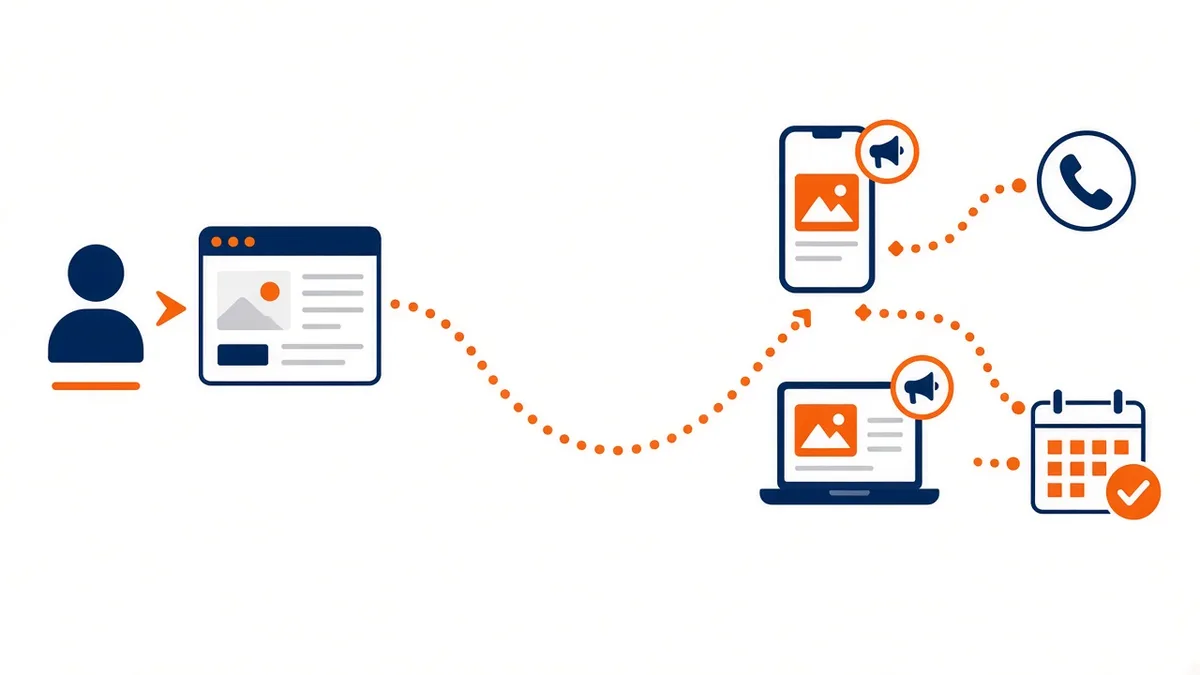
Google lists several ways to use your data, including website visitors on the Display Network, follow-up searches on Google Search, YouTube viewers, and Customer Match lists made from contact details your customers gave you.
One limit to know up front: a list must be big enough before ads run. Google's data segment compatibility page says Search, Display, and YouTube each need a minimum of 100 active visitors or users within the last 30 days. A brand new tag or a small site may need time before the list qualifies.
Which HVAC Visitors to Target First
Start with a few simple lists. Do not build ten audiences on day one. Small lists often fall under the minimum and never serve.
Visitors who viewed a high-value service page
People who read your AC replacement, furnace installation, or heat pump page are closer to a buying decision than someone who read a tip post. This is usually your best first list.
Visitors who reached the contact or booking page but did not finish
These people almost converted. A short, friendly reminder ad can pull them back. If this list is too small to qualify, widen it to include everyone who viewed a service page.
All site visitors
Google Ads creates an "All visitors" segment once your tag is set up. It is a good catch-all when your traffic is low. Keep the message general and focused on trust, reviews, and how to book.
Blog readers, as a lighter touch
Someone who read about local SEO for HVAC companies or a maintenance tip may not need a service today. A softer ad about a tune-up or a free estimate fits better than a hard sell.
Who to Leave Out of Your Retargeting
Wasted spend is the top retargeting problem. Show the wrong ad to the wrong person and you pay for clicks that never turn into work.
- People who already called or booked. Google creates an "All converters" segment from your conversion tracking. Use it as an exclusion. If conversion tracking is not set up, that list stays empty.
- Current customers you are marketing to by email or text. Use Customer Match lists to keep them out of new-customer ads, or to target them with a maintenance plan offer instead.
- Job seekers. Anyone who only visited your careers page.
- Pages with no buying intent, such as your privacy policy or login pages.
What Your Retargeting Ads Should Say
A retargeting ad is not a new introduction. The person already knows who you are. Use the ad to remove the reasons they left.
- Match the page they viewed. A visitor who read about AC repair should see an AC repair ad, not a generic brand ad.
- Lead with trust. Use real reviews, real licensing and insurance details, and real warranties. Do not claim anything you cannot prove.
- Make the next step easy. "Call now" or "Request a free estimate" with one clear button.
- Use real photos of your trucks, team, and finished jobs when you can.
Keep the landing page consistent with the ad. If the ad promises a free estimate and the page asks for ten form fields, you lose the click you just paid for.

How to Set It Up in Google Ads
Menu names change often in Google Ads, so check the current labels in your account. The steps are the same.
- Install the Google tag on every page. Google's help page on setting up your data segments explains how the tag and optional event snippets feed your lists.
- Turn on conversion tracking. Track calls and form fills so you can exclude converters and judge results. If you use Google Ads call tracking, see how AI-qualified call leads change which calls count.
- Create your segments. Use rules such as "URL contains" a service page path. Granular segments may not meet the minimum size and will not serve.
- Pick a campaign type. Display and YouTube campaigns can use your lists as a target. Search campaigns can use them to adjust bids or show ads to past visitors.
- Check the targeting mode. Google says Performance Max campaigns use only optimized targeting, so your lists act as signals, not strict limits. Your ads may reach people outside your list.
- Add your exclusions and set a daily budget.
- Wait 48 to 72 hours. Google says a new list can take that long to fill in.
Facebook and Instagram can do the same with a Meta Pixel. If you already run social ads, build a matching website visitor audience there. Our guide to HVAC social media marketing covers the channel side.
Budget, Frequency, and Timing
Retargeting is a supporting channel. Your main lead source should still be intent-based traffic, like Google Search, Local Services Ads, and your Google Business Profile. Our guide to HVAC PPC campaign strategies shows how those pieces fit together.
Keep the budget modest
Your list is only as big as your website traffic. A small list cannot absorb a large budget. Start small, then increase only when you see booked jobs.
Cap how often people see your ad
Showing the same ad all day annoys people and burns budget. Set a frequency cap on Display and YouTube campaigns, and rotate two or three ad versions.
Match the window to your sales cycle
A no-cool emergency call happens fast, so a short window makes sense for repair pages. A system replacement can take weeks of research, so keep those visitors on a longer list. In peak summer and winter, check that your ads and budgets can keep up with demand.
How to Tell If It Is Working
Clicks and impressions are not the goal. Booked jobs are. Judge your retargeting on the numbers that match how you earn money.
- Calls and form fills from retargeting campaigns, tracked in Google Ads.
- Booked jobs. Match calls to your CRM or scheduling software. A call is not a lead until it books.
- Cost per booked job. Compare it to your Search and LSA campaigns.
- View-through conversions, with caution. These can make display ads look better than they are. Use them as a hint, not proof.
Listen to the calls, too. If retargeting brings calls but the office does not answer quickly, the leak is not the ad. Our 5-step speed-to-lead system covers how to answer and book faster.
Common Retargeting Mistakes
- Running ads with no conversion tracking. You cannot exclude buyers or measure results.
- Building lists that are too small to serve. Keep them broad until traffic grows.
- Sending everyone to the home page. Send them to the page that matches the ad.
- Showing ads to customers who already booked. It wastes money and can annoy the people you just won.
- Counting only clicks. Always tie results back to booked jobs.
- Ignoring privacy and consent. Google says consent choices, cookie availability, and browser limits shape who can be reached. Make sure your site has a clear cookie notice and a privacy policy, and ask your attorney if you have questions about your legal duties.
Frequently Asked Questions
What is retargeting for HVAC companies?
Retargeting shows your ads to people who already visited your website. In Google Ads these lists are now called "your data segments." The goal is to bring back visitors who looked at a service page but did not call or fill out a form.
How many visitors do I need before retargeting ads will run?
For Google Ads, a data segment needs at least 100 active visitors or users in the last 30 days on the network you target. A smaller site may need to wait, or may need a wider list such as all site visitors.
Is retargeting worth it for a small HVAC company?
It can be, because the people on your list already know your name. Spend usually stays small compared with search ads, so it works best as a supporting campaign next to Google Search and Local Services Ads, not a replacement.
Who should I leave out of my retargeting audience?
Leave out people who already called or booked, current customers, and job seekers who visited your careers page. Google Ads creates an "All converters" segment you can use as an exclusion once conversion tracking is on.
Does retargeting work without cookies?
Only partly. Google notes that privacy consent choices, cookie availability, and browser limits mean only part of your visitors can be reached. Expect your list to be smaller than your total site traffic.
How long should I run a retargeting campaign?
Run it long enough to gather real data, then judge it on booked jobs and cost per booked job, not clicks. Review it every month alongside your other campaigns.
Want Help Setting This Up?
Retargeting only pays off when your tracking, landing pages, and follow-up are solid. If you want a second set of eyes on your lists, exclusions, and budget, our PPC team for home service contractors can take a look. You can also see how we have helped other contractors in our case studies. When you are ready, book a discovery call and we will walk through your account together.
Sources: About your data segments, Google Ads Help; About setting up your data segments, Google Ads Help; About your data segment compatibility, Google Ads Help.